

1
Select a market
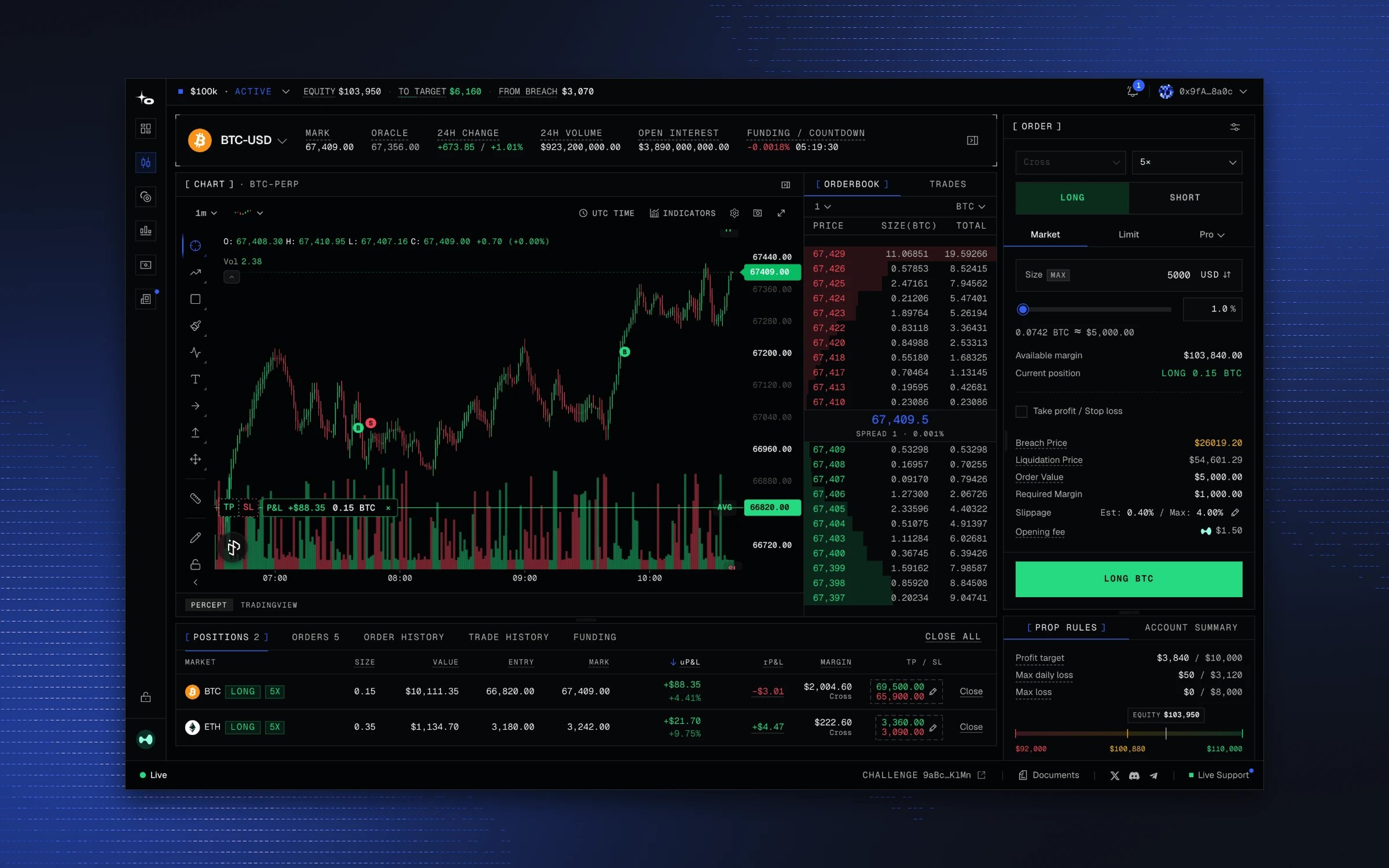
Open Markets, pick a market, and select Open Full View. The chart shows last price; the order book shows resting bids and asks.
2
Build your order
In the Order panel, choose Long or Short, Market or Limit order, and a trade size. A market order fills straight away at the best prices in the order book, which can be slightly different from the price you see. This is called slippage. A limit order rests at the price you set. You can add a take profit and a stop loss if you want the exits set now; they are listed under the order in Orders.The panel shows liquidation price, margin required, and the fee before you submit. That fee is one leg: rates and round-trip examples are in Fees.
3
Place the order
An unfilled order sits in Orders; a filled one becomes a row in Positions. The rule meters at the top of the screen update with your equity.
4
Manage or close the position
You can reduce the trade size, add to it, or adjust your TP and SL levels. You can close from the position row, or use Close All, Close Longs, or Close Shorts. A closed trade moves to Trade History with its entry, exit, fees, and net P&L. Orders that never filled stay in Order History.