

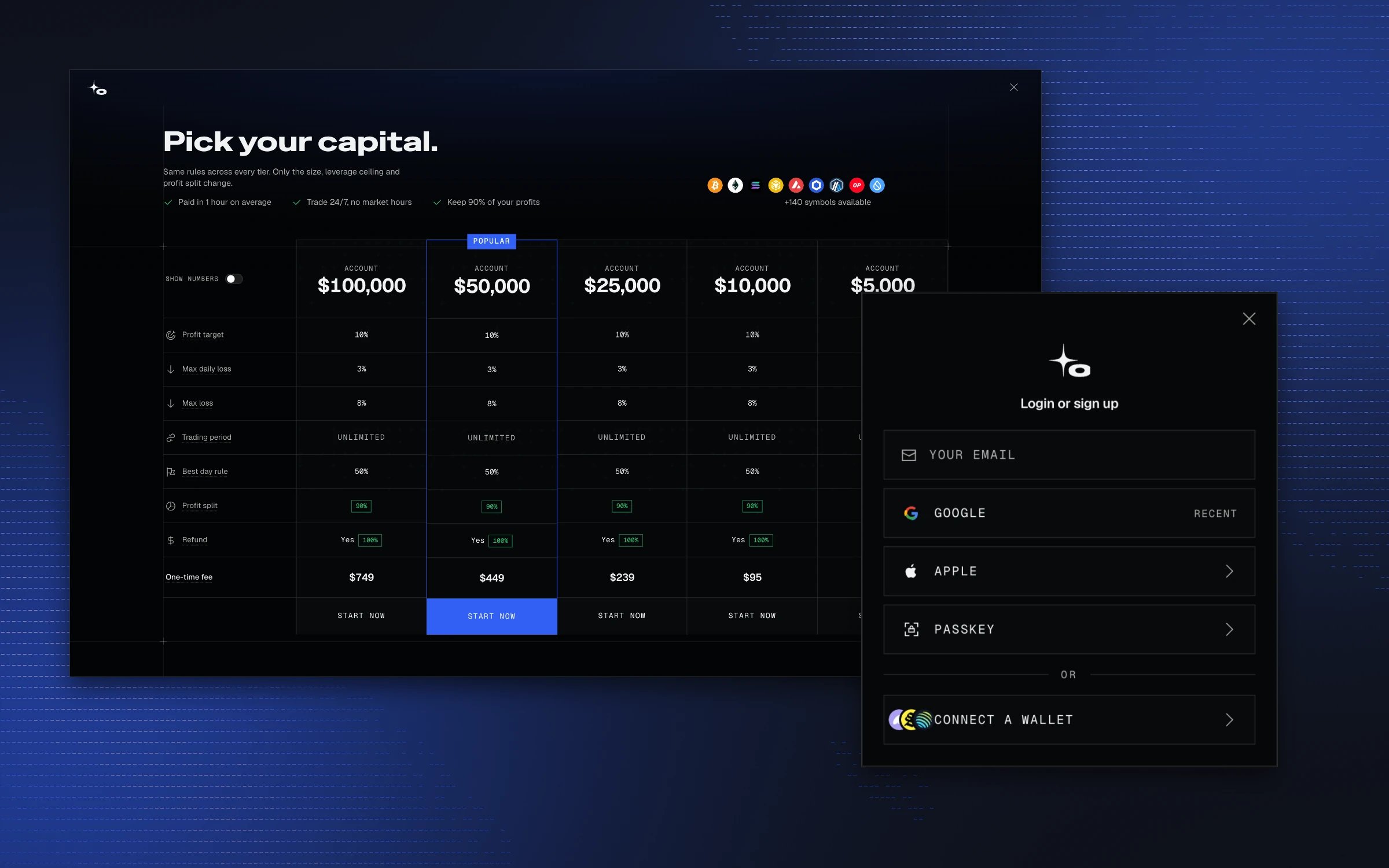
1
Sign up
Sign up at app.ownit.xyz with your email or connect a wallet. Verify the email.
2
Choose an evaluation
Pick an account size that suits you. The trading objectives are the same at every size; only the account size and the fee change. More information about available account sizes and the initial fee for each can be found here: Choose an evaluation.
3
Pay
Review the order summary, the Terms & Conditions, and the Risk Disclosure. Pay by wallet from Solana or any supported EVM chain. Anything that is not already USDC on Solana is bridged with Mayan or swapped with Jupiter for you automatically, and the route and its fee are shown before you sign. USDC already on Solana is the cheapest and fastest route; however, some extra fees may be charged by your crypto wallet provider, so double-check.
4
Set up the platform
Make the platform yours: change the theme, scale the font, and pick a unique username. The username becomes your trader card. During private beta the card is private, and every beta account gets an early-adopter sticker.Theme, mood, accent, and P&L colors: Interface appearance.
5
Start trading
When the payment arrives, your evaluation is active and you can start trading. The summary shows the transaction on Solscan.
Your account on-chain
Your account and evaluation are created on-chain on the Solana network at purchase. Trades, evaluation phase changes, and payouts are recorded there too.Verification
Open the on-chain record for a trade, order, account event, or payout with View on Explorer.
Smart contract
How the account, the evaluation, trades, and payouts fit together on-chain.